


D2X-XL Worklog
Notes on features and problems from the development of D2X-XL, newest first.
Sound |
|
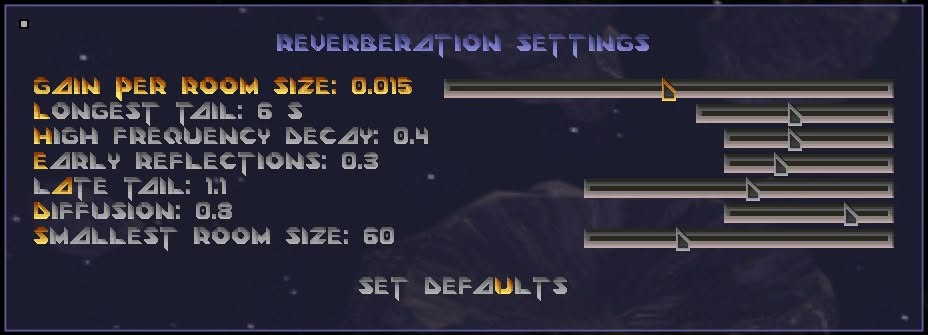
OpenAL Sound in D2X-XL used to be simple stereo: a sound was louder or quieter and came more from the left or more from the right, and that was all it could tell you. Sound effects are now played with OpenAL, which places them in the space around your head, including above and below; you can hear where a robot is before you see it. Music is still played the old way. Sound Travels Through The Mine How loud a sound is depends on the way it has to take through the mine to reach you, not on the straight line through solid rock. A sound from a room you cannot look into reaches you from the door or opening it comes through. Open doors and grates let sound pass. A closed door or a wall only lets a small part of it through, and what gets through sounds dull, because the highs are filtered out. Under water and in lava everything sounds muffled, and so it does a little in fog. Reverb Rooms now have reverberation: large caves ring for a long time, while narrow tunnels stay dry. For this the game has to know how big the room is you are in, and a Descent level doesn't tell. It is built from small segments, and a single segment says nothing about the room it is a part of. So when a level is loaded for the first time, D2X-XL measures it. From the center of every segment it sends out a lot of rays, spread evenly in all directions. A ray travels on until it hits something a ship could not fly through, like rock, a closed door or a grate. The lengths of all these rays are then condensed into a single number, the room size of that segment. This number is not the plain average of the lengths: a single ray escaping down a long tunnel would turn a narrow tube into a hall. What makes a room ring is its smallest way out and not its longest, so the short rays count most. A long, narrow corridor comes out small and stays dry; a wide cave comes out big and rings. The graphics card measures the entire mine in one go, and the result is stored with the level's cache files, so this only happens once. From Room Size To Reverb To turn room sizes into reverberation, I measured a number of levels and took the widest caves I found in them as the yardstick: this is the largest room the reverb knows. A room of that size rings for the full length of the reverb tail. In smaller rooms the tail gets shorter in proportion to their size - half the size, half the tail - which is what the physics of reverberation says. In very small rooms the reverb fades out altogether. The pause before the first echo grows with the room as well. While you fly from one room into another, the reverb glides from one to the other within a fraction of a second. The Settings The strength of the reverberation is set in the effect options, from off to maximum. In expert mode there is also a dialog with detailed settings. Whatever you change there, you hear at once.
The two room sizes are given in percent of the yardstick, the largest room the reverb knows. |
 |
|
Fully Automatic All of this works fully automatically. There is no reverb data in a level and nothing a level author has to set up in the level editor, and the results are good and plausible. |